OpenShift Localってなんぞ
今年も暑い夏!がやってきました。自宅サーバは既にファンフル回転、電力消費もアレなので2台を停止しました。その上で動いていたOpenShiftクラスタも停止され、もやもやしていましたので、前から気になっていたOpenShift Localというものをインストールしてみることにしました。
OpenShift Localは、手持ちPCでOpenShiftを動作させることのできる仕組みです。ドキュメントによると、開発者のデスクトップ上での動作を目的としている、ということで、完全なクラスタの代替にはならない、とされています。とはいっても、じゃあどこまで出来るの?が気になるので、試してみることにしました。
https://docs.redhat.com/ja/documentation/red_hat_openshift_local/2.37/html/getting_started_guide/introducing#about_red_hat_openshift_local
必要なスペック
2024年6月の段階で、最新Verは2.37のようです。
物理CPUコア4個、空きメモリー10.5GB、ストレージ領域35GB、そしてWindowsはHyper-Vを使うのでProエディションが必須です。
いざインストール
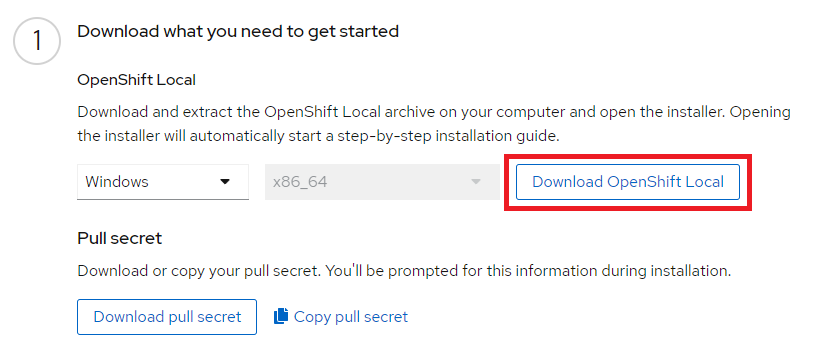
https://console.redhat.com/openshift/create/local
ここから、インストーラー(crc-windows-installer.zip)をダウンロードして実行します。
インストーラーが終了間際に再起動を指示してくるので従います。
再起動後、ターミナルを開いてcrcにパスが通っていて正常に実行できるか確認します。
PS C:\> crc version
CRC version: 2.37.1+36d451
OpenShift version: 4.15.14
crc setupを実行します。私の環境だとDownloadが5Mbpsぐらいしか出ず、そこそこ時間がかかりました。
PS C:\> crc setup
CRC is constantly improving and we would like to know more about usage (more details at https://developers.redhat.com/article/tool-data-collection)
Your preference can be changed manually if desired using 'crc config set consent-telemetry <yes/no>'
Would you like to contribute anonymous usage statistics? [y/N]: N
(略)
INFO Checking admin helper service is running
INFO Checking SSH port availability
Your system is correctly setup for using CRC. Use 'crc start' to start the instance
PS C:\>次に、crc startを実行します。pull secretの入力が求められますので、ダウンロードした場所の近くからコピーして貼り付けます。
PS C:\> crc start
INFO Using bundle path
(略)
INFO Loading bundle: crc_hyperv_4.15.14_amd64...
CRC requires a pull secret to download content from Red Hat.
You can copy it from the Pull Secret section of https://console.redhat.com/openshift/create/local.
? Please enter the pull secret <---- pull secretをコピー&ペースト *****************************************************************************************
INFO Creating CRC VM for OpenShift 4.15.14...
INFO Generating new SSH key pair...
(略)
INFO All operators are available. Ensuring stability...
INFO Operators are stable (2/3)...
INFO Operators are stable (3/3)...
INFO Adding crc-admin and crc-developer contexts to kubeconfig...
Started the OpenShift cluster.

The server is accessible via web console at:
  https://console-openshift-console.apps-crc.testing

Log in as administrator:
  Username: kubeadmin
  Password:

Log in as user:
  Username:
  Password:

Use the 'oc' command line interface:
  PS> & crc oc-env | Invoke-Expression
  PS> oc login -u developer https://api.crc.testing:6443
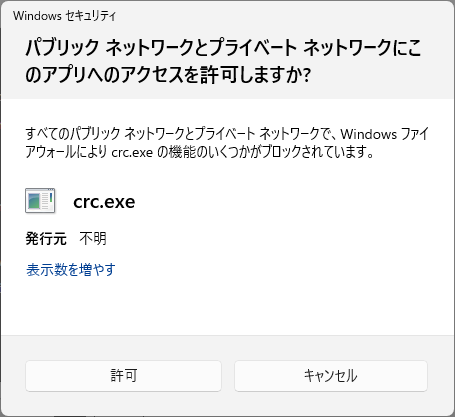
途中、Windows セキュリティのポップアップが出力されるので許可します。
指示に従ってocコマンドが使えるようにして、ログインしてみます。
PS C:\> & crc oc-env | Invoke-Expression
PS C:\> oc login -u kubeadmin
PS C:\> oc get node
NAME   STATUS   ROLES                         AGE   VERSION
crc    Ready    control-plane,master,worker   20d   v1.28.9+416ecaf
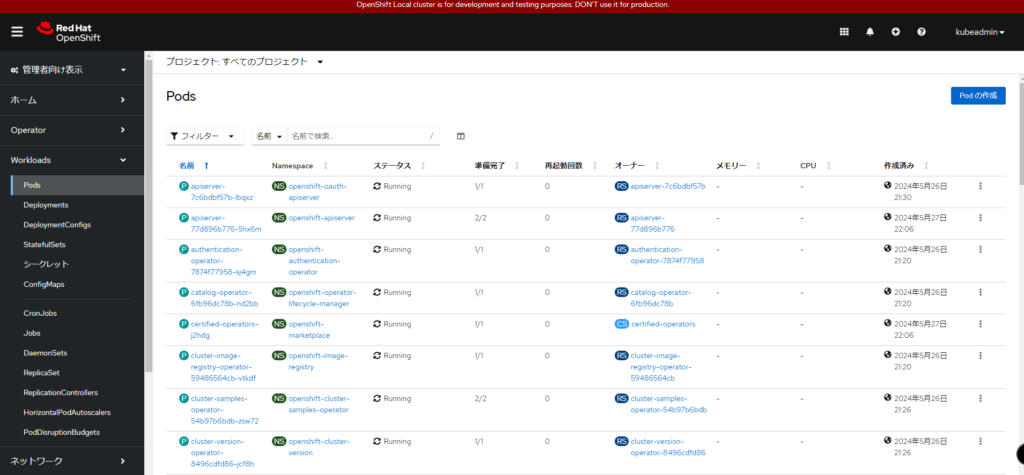
crc consoleで、Web Consoleが開きました。DON’T use it for production.と書かれています!
hostsにAdded by CRCされていました。
# Added by CRC
127.0.0.1        api.crc.testing canary-openshift-ingress-canary.apps-crc.testing console-openshift-console.apps-crc.testing default-route-openshift-image-registry.apps-crc.testing downloads-openshift-console.apps-crc.testing oauth-openshift.apps-crc.testing
# End of CRC section
おわりに
この記事を書きながらメモリ使用量を見ていると、21GBほどでした。Hyper-Vでのメモリは10752MBで設定されていたので、16GBなノートPCでも少々スワップしながら起動するかもしれません。
立てた環境はcrc stopで終了してからOSを落とすようにしています。
さくっとOpenShift Localがインストールできたので、試してみてはいかがでしょうか。持ち運べるOpenShift環境も良いな、って思います。
コメント